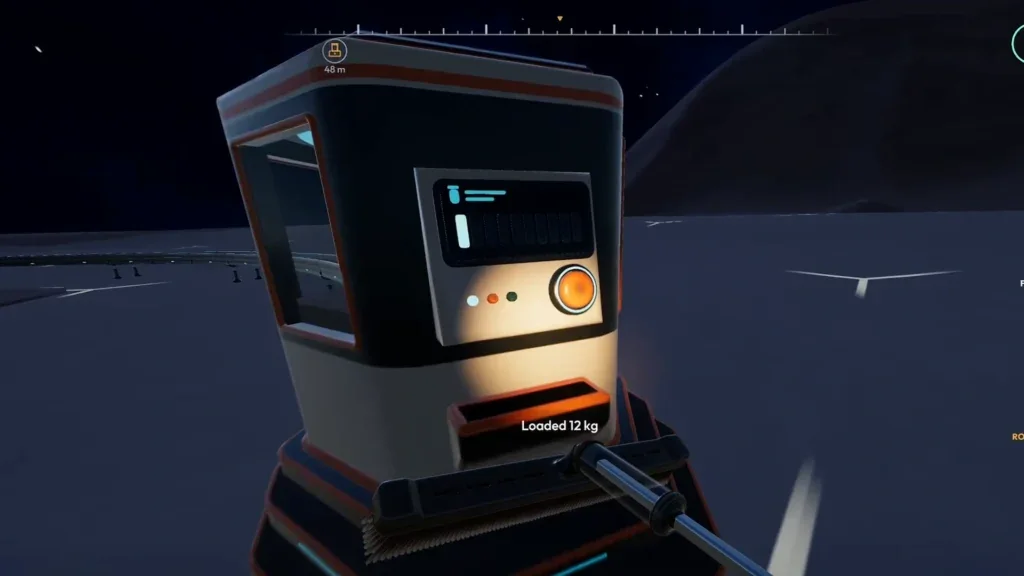
Packager, manual packing and Auto-Packer are different
The Packager’s useful role is to give manual cleaners a transfer point closer to the work. The linked player walkthrough documents loading it with E and sending capsules from its output. Follow the prompt shown by your bindings rather than assuming a key is unchanged.
| Method | What happens | Work still required |
|---|---|---|
| Manual packing | The held tool’s dust becomes a portable capsule, reported default Q. | Move the material to a receiving route. |
| Auto-Packer tool upgrade | A full tool creates capsules during cleaning. | Capsules still need collection and transport. |
| Placed Packager | Dust you unload is sent out as capsules. | You still clean, bring dust to the machine and connect its output. |
| Processing machine | A separate production stage transforms accepted materials. | Its own inputs, output and any stated power requirements must work. |
Build a short route that you can inspect
- 01Dust in hand tool→
- 02Load Packager→
- 03Output conveyor→
- 04Depot intake · payment
Each arrow is a hand-off: confirm the source drains and the next stage receives. If you add processing, verify its accepted input and outgoing route separately.
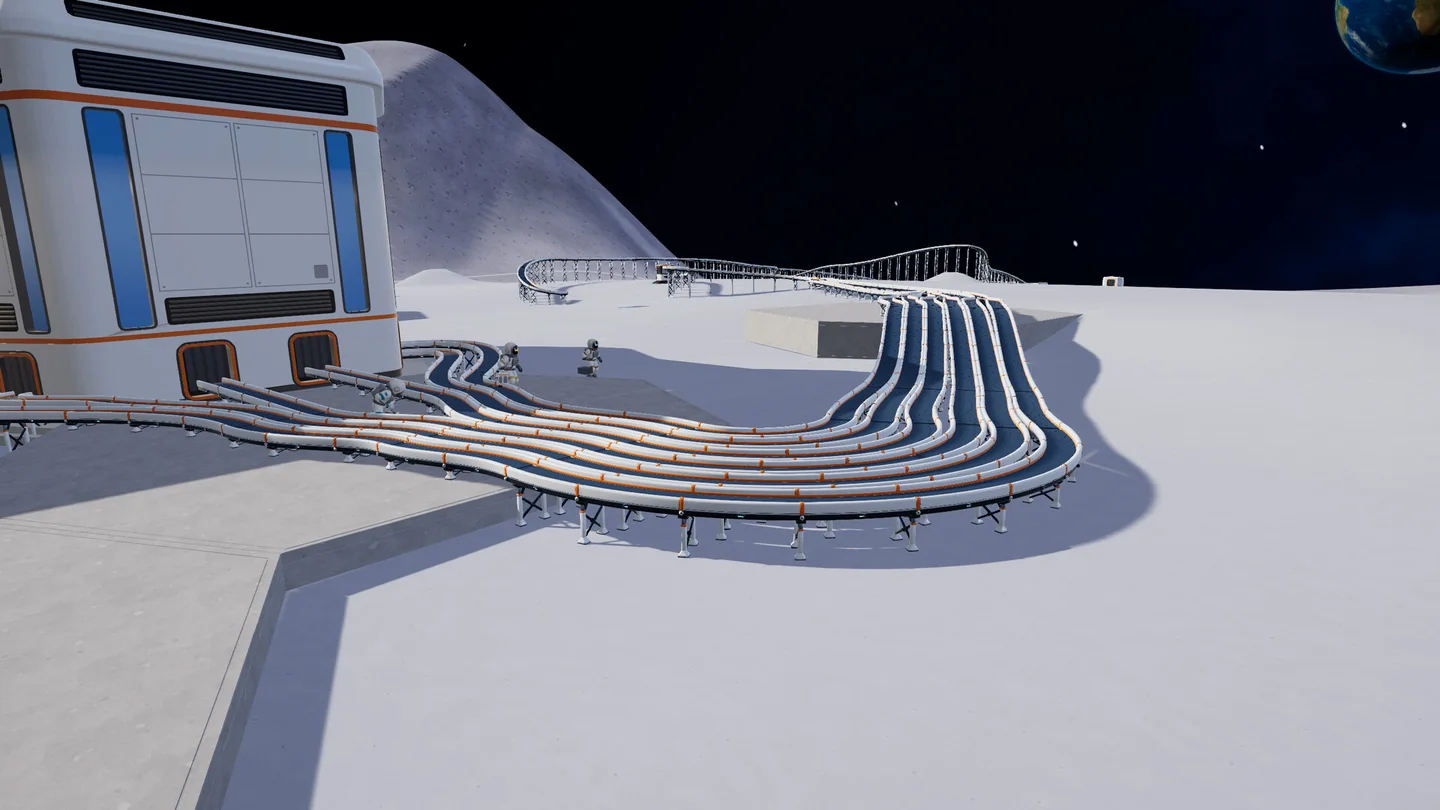
Trace the belt all the way to the station connection. A nearby belt is not the same as an attached one.
Official screenshot · DragDrop Games / Steam ↗Place near the work, with the output accessible
Find the Packager in the building tool’s Logistics category and inspect its placement preview. Leave room to approach its loading point and connect an outgoing belt. Use the menu in your build for the actual price and any prerequisites.
Connect toward a receiving intake
Run a short belt from the output to the station’s receiving port. Check the direction at each join. A belt ending beside the depot is not the same as a connected intake. Keep this first route simple so a failed hand-off is easy to locate.
Load a small amount from the active tool
Collect dust, stand at the loading interaction and follow the on-screen prompt. Check whether the tool’s gauge falls. If it does not, the failure happened before conveyor delivery; extending the belt will not fix that step.
Watch the first capsule through the entire route
Observe the output, each connection and the station intake. Under the v1.0.3 rules, incoming dust and stone on belts are paid as they arrive. Check the balance or intake display before assuming the first load was sold.
Find the first point where the dust stops
Change one connection or condition at a time. If you rebuild the machine, the belt and the destination together, a successful test will not tell you what caused the fault. A useful report includes the machine status, where the first capsule stopped and the game version.
| Observed result | Inspect first | Success looks like |
|---|---|---|
| Tool gauge never decreases | Dust in the active tool, correct loading prompt and position | The tool empties into the machine. |
| Tool empties, no output appears | Output connection and the machine’s exact status | A capsule enters the first belt. |
| Capsule stops at a join | Direction, connection and the next receiver’s available space | It crosses that specific join. |
| Capsules reach a building but no payment | Whether the destination is the sale intake or an intermediate machine | The sale intake receives material and credits it. |
| Several packing methods stop together | Installed version and the large-base packing fix | Manual and machine packing resume after the relevant fix. |
What v1.0.5 changes for Packager troubleshooting
The v1.0.4 notes first addressed a “Could not pack a capsule” error. In v1.0.5 the developer fixed a large-base issue that prevented Q, Auto-Packer and machines from packing when many capsules were already on belts. The same notes replace the earlier ground-capsule restriction with a total world ceiling of 90,000 capsules. That ceiling is not a target for a healthy transport line: a growing backlog still needs an outlet.
You can move a placed Packager using the building tool in v1.0.5. Attached belts follow only where they can reach. After relocation, retest the loading point and the first output connection before judging the machine defective. Building on dusty ground is now allowed; pre-clearing is no longer a requirement from this patch.
Decide whether a Packager solves your current problem
Use one when you still clean with a handheld tool and repeated trips to the station interrupt the work. Compare a nearby loading point plus a complete conveyor route against simply finishing the current small patch manually.
If you mainly collect in a vehicle, inspect the garage’s unloading system instead. If you are configuring J.O.O.N.A.S., follow its Capsule Catcher route. Adding a Packager to those systems does not automatically make a missing input or sale connection work. The automation guide explains how to connect those different collection methods to a shared destination.
Questions & answers
Does a Packager sell dust automatically?
It packages and outputs dust. The sale happens when the delivery reaches the station intake, not when you load the Packager.
Does Auto-Packer replace the building?
No. The player walkthrough distinguishes the tool upgrade, which creates loose capsules, from the placed machine that feeds a conveyor.
Do I need an exact power value from this guide?
No unverified power requirement is assumed here. Read the machine’s current panel; inspect supply only where the game actually reports a requirement.
Sources & evidence
- Tpose Gaming — Packager walkthrough ↗
Player walkthrough with screenshots; a secondary source for loading controls and the Packager/Auto-Packer distinction.
- DragDrop Games — v1.0.3 ↗
Official shared Upgrade Matrix, conveyor payments and garage management.
- DragDrop Games — v1.0.4 ↗
Official robot behavior, catcher capacity, map and teleport features.
- DragDrop Games — v1.0.5 ↗
Official building, catcher routing, garage status and sector fixes.